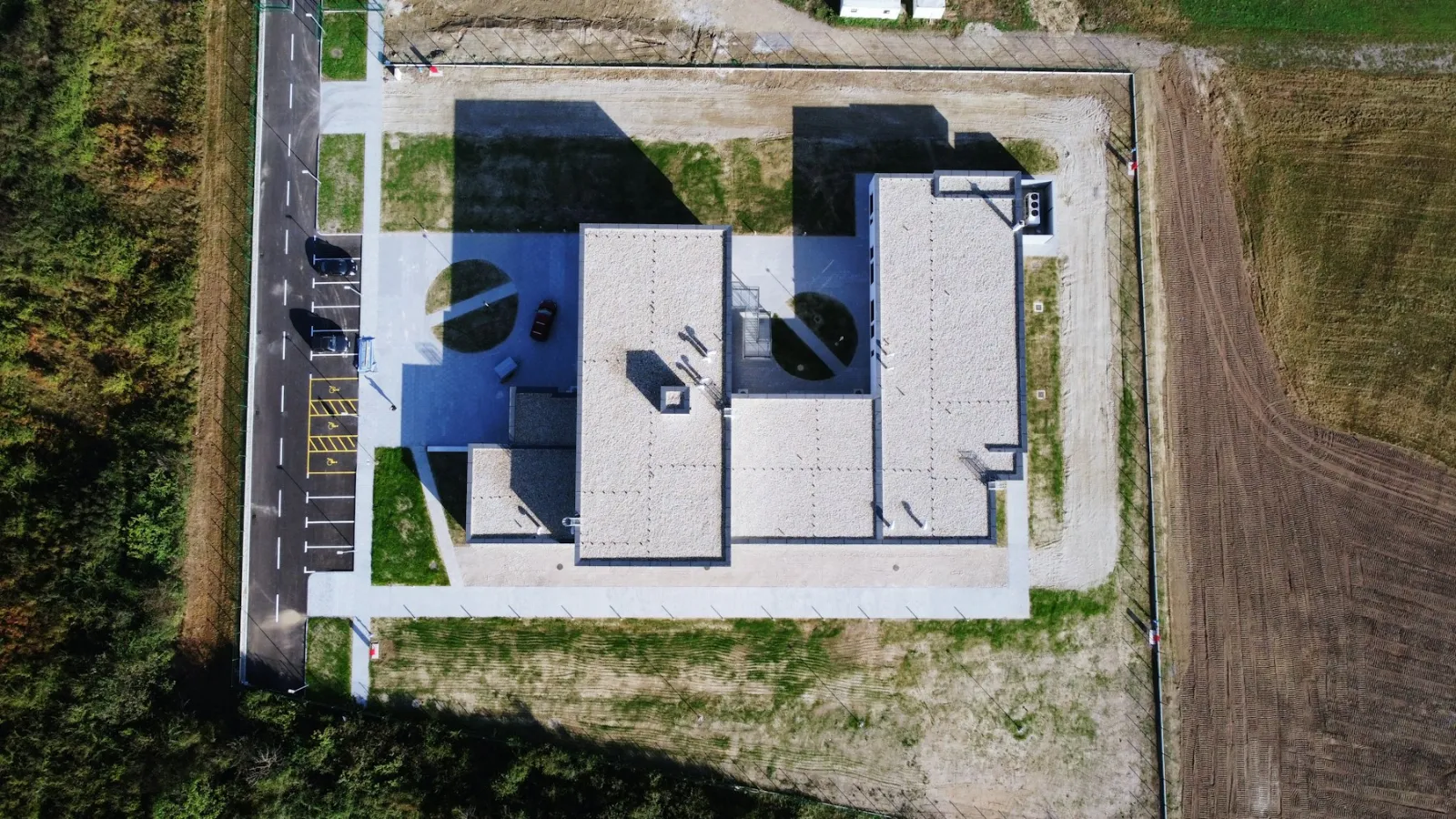
Drones improve construction site security by patrolling large or spread-out sites quickly, checking fences, compounds and plant from above, using thermal cameras to spot people and vehicles at night, and giving security teams a live view when an alarm goes off. They work best alongside fixed CCTV, lighting and guards, not instead of them: the drone covers ground and angles that fixed cameras miss and checks alarms before anyone walks into a dark site. Automated drone docks make regular patrols possible without a pilot on site, but night flights, BVLOS operations and filming near neighbours bring rules and privacy duties that need planning.
This guide covers how drones are used for site security, equipment options, night and thermal patrols, privacy and the rules, and how to set up a drone security programme.
Table of contents
How drones improve site security
Perimeter patrols. Check fences, gates and hoarding along the whole boundary in minutes.
Alarm response. Fly to the location of an alarm and see what is happening before a guard goes in.
Plant and materials checks. Confirm that machinery, containers and stored materials are where they should be.
Incident evidence. Record dated video of break-ins, damage or trespass for police and insurers.
Deterrence. Visible patrols and signs that drones are in use discourage intruders.
Safety checks out of hours. Spot fires, flooding, fallen fencing or storm damage overnight.
Drone security setups compared
| Setup | How it works | Best for | Trade-offs |
|---|---|---|---|
| Pilot on site | A guard or pilot launches the drone for patrols and alarms | Sites with existing security staff | Depends on staff availability |
| Drone dock | A weatherproof dock launches scheduled or alarm-triggered flights, flown remotely | Large sites and remote monitoring centres | Higher cost; usually needs BVLOS approval |
| Tethered drone | A drone on a cable hovers over the site for hours as a mobile mast camera | Events on site, high-risk periods, temporary coverage | Fixed position, limited height |
| Mobile security service | A provider visits sites on patrol routes or after alarms | Several smaller sites | Response time depends on distance |
See our guides to BVLOS with DJI Dock and tethered drones.
Night and thermal patrols
Most site crime happens when sites are empty. Thermal cameras show people, animals and warm vehicle engines in darkness, and spotlights or loudspeakers on some drones let operators warn intruders. Night flying needs extra planning: a lit take-off area, clear rules for when the drone flies, and in many cases specific category approval. Thermal images also catch overheating equipment and early signs of fire. See our guide to thermal drone inspections.
Combining drones with CCTV and guards
| Fixed CCTV | Guards | Drones | |
|---|---|---|---|
| Coverage | Fixed views, blind spots | Where the guard walks | Whole site from above |
| Response | Records and alerts | Can intervene | Fast look at an alarm, live video |
| Night | Needs lighting or infrared | Risky alone in the dark | Thermal camera |
| Best role | Constant monitoring of gates and key areas | Deterrence and intervention | Patrols, alarm checks, evidence |
The same flights can also produce progress maps and inspection images during the day. See our guide to drones in construction.
Rules and privacy
Aviation rules. Regular patrols, BVLOS dock flights and flights over workers or near the public usually need the specific category and an operational authorisation. See our SORA guide and EU drone regulations.
Airspace. Sites near airports or in city centres may be in restricted zones. Check our no-fly zone guide.
Privacy. Security footage is personal data. Keep cameras pointed at your own site, avoid neighbours' homes and gardens, put up signs, limit who sees the footage and how long it is kept, and follow GDPR and national guidance.
Workers. Tell site staff when and why drones fly, and keep security footage separate from performance monitoring.
Setting up a drone security programme
Assess the risk. What is stolen or damaged, where and when.
Choose the setup. On-site pilot, dock, tethered drone or mobile service.
Plan routes and triggers. Patrol routes, times and which alarms launch a flight.
Get approvals. Operational authorisation, airspace permissions and a privacy assessment.
Connect to your response. Live video to the monitoring centre, and clear steps for when an intruder is seen.
Review. Track incidents, false alarms and response times, and adjust.
Limitations
Weather. Strong wind, heavy rain and snow ground drones. See our guide to drone weather limits.
Battery life. Each flight lasts tens of minutes; docks recharge between flights.
Rules. Night and BVLOS flights need approval, which takes time.
No physical response. A drone can see and record, but people still have to act.
Frequently asked questions
Can drones be used for construction site security?
Yes. They patrol perimeters, check alarms, spot intruders at night with thermal cameras and record evidence, usually alongside CCTV and guards.
Can a drone patrol a site automatically?
Yes, with a drone dock that launches scheduled or alarm-triggered flights, flown from a remote operations centre. This usually needs BVLOS approval.
Are security drones legal at night?
Night flights are possible but need extra planning and, for most security patrols, specific category approval.
Do security drones break privacy laws?
Not if they are used correctly: keep cameras on your own site, inform people, limit access and retention, and follow GDPR.
Do drones replace security guards?
No. They cover ground faster and check alarms safely, but people are still needed to intervene.


